

Hey there! I'm a supplier of the Laser Cutting Machine 6020, and I've seen a lot of folks scratching their heads over how to adjust the cutting speed for different materials. So, I thought I'd share some tips based on my experience.
First off, let's talk about why adjusting the cutting speed is so important. The right cutting speed can make a huge difference in the quality of your cuts. If it's too fast, you might end up with rough edges or incomplete cuts. On the other hand, if it's too slow, you could waste time and energy, and even damage the material.

Understanding the Basics of Laser Cutting
Before we dive into the details of adjusting the cutting speed, let's quickly go over how the Laser Cutting Machine 6020 works. This machine uses a high - powered laser beam to melt, burn, or vaporize the material, creating a precise cut. The cutting speed is just one of the factors that affect the cutting process, along with laser power, focal length, and gas pressure.
Adjusting for Different Materials
1. Metals
Metals are one of the most common materials cut with the Laser Cutting Machine 6020. When cutting metals like stainless steel, the cutting speed depends on the thickness of the metal. For thin stainless steel (around 1 - 2 mm), you can usually use a relatively high cutting speed. I'd recommend starting with a speed of around 4 - 6 meters per minute. As the thickness increases, say to 5 - 6 mm, you'll need to slow down the cutting speed to about 1 - 2 meters per minute. This gives the laser enough time to penetrate the metal completely.
Aluminum is another metal that's often cut. It's a bit more challenging because it's highly reflective. For thin aluminum sheets (less than 3 mm), you can use a speed of about 3 - 5 meters per minute. But for thicker aluminum (5 - 10 mm), you might need to reduce the speed to 0.5 - 1.5 meters per minute.
2. Acrylic
Acrylic is a popular material for creating signs, displays, and crafts. It cuts well with the Laser Cutting Machine 6020. For 3 - 5 mm thick acrylic, a cutting speed of 6 - 10 meters per minute usually works great. If you're cutting thicker acrylic, like 10 - 15 mm, you'll want to slow it down to 2 - 4 meters per minute. This helps to prevent the acrylic from cracking or melting unevenly.

3. Wood
Wood is a natural material that can be cut beautifully with the laser. For softwoods like pine, you can use a relatively fast cutting speed. For 3 - 5 mm thick pine, a speed of 8 - 12 meters per minute is a good starting point. Hardwoods like oak are denser, so you'll need to slow down. For 3 - 5 mm thick oak, a speed of 4 - 6 meters per minute is more appropriate.
Testing and Fine - Tuning
The best way to find the perfect cutting speed for a specific material is through testing. Start with a sample piece of the material and try different cutting speeds. You can make a series of test cuts at different speeds and then evaluate the quality of each cut. Look for smooth edges, no signs of burning or melting, and a clean separation of the material.
Once you've found a speed that works well, you can use it as a baseline for future cuts. However, keep in mind that factors like the condition of the laser tube, the alignment of the machine, and the quality of the material can all affect the cutting speed. So, it's a good idea to do a test cut every now and then to make sure everything is still working as it should.
Comparing with Other Machines
We also offer the Laser Cutting Machine 4020. While the basic principles of adjusting the cutting speed are similar, the Laser Cutting Machine 6020 generally has more power and a larger cutting area, which means it can handle thicker materials and potentially cut at higher speeds in some cases. But each machine has its own characteristics, and it's important to understand the capabilities of the specific machine you're using.
Our Laser Cutting Machine 6020
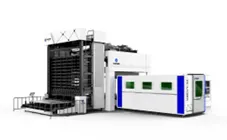
Our Laser Cutting Machine 6020 is a top - of - the - line machine designed for precision and efficiency. It's equipped with advanced laser technology that allows for accurate and clean cuts on a wide range of materials. The user - friendly control panel makes it easy to adjust the cutting speed and other parameters. Whether you're a small business owner looking to create custom products or a large manufacturer in need of high - volume cutting, our Laser Cutting Machine 6020 can meet your needs.
If you want to learn more about our Laser Cutting Machine 6020 or have any questions about adjusting the cutting speed for different materials, don't hesitate to reach out. We're here to help you get the most out of your laser cutting experience. Whether you're just starting out or you're a seasoned pro, we can provide you with the support and guidance you need. Contact us to start a conversation about how our machine can fit into your production process and help you achieve your business goals.
References
- Laser Cutting Handbook: A Comprehensive Guide to Laser Cutting Technology
- Manufacturer's Manual for Laser Cutting Machine 6020